Project Overview
Developed an inclusive e-learning foreign language application specifically designed to accommodate learners with physical, auditory, cognitive, and visual impairments. This innovative platform enables users to engage in language learning, explore various languages, participate in quizzes, and enjoy friendly challenges with their peers.
Category
Responsive design
Timeline
Jan 2023 - May 2023
Project Type
Individual Project
My Role
UX Design
UI Design
The Problem
Many existing e-learning foreign language applications overlook the diverse needs of learners with physical, auditory, cognitive, and visual impairments. This lack of inclusivity restricts the accessibility and learning opportunities for individuals with disabilities, impeding their ability to engage in language learning and benefit from interactive language learning experiences.
Solution
Developed a multi-platform application that provides an inclusive and engaging learning environment for individuals of all abilities, addressing accessibility barriers and ensuring equal learning opportunities.
How did I do it?
1. Discover
User Research
Conducted comprehensive qualitative research by reviewing numerous research papers to deepen understanding of accessibility in design and technology. Explored the medical and social models of disability, emphasizing the importance of inclusive design and addressing barriers for individuals with disabilities.

Identified gaps in technology access and highlighted the impact of assistive technology on the quality of life for disabled individuals. Leveraged qualitative research findings to inform the improvement of accessibility, consider social factors, and adhere to accessibility guidelines throughout the design and development process.
2. Define
User Persona
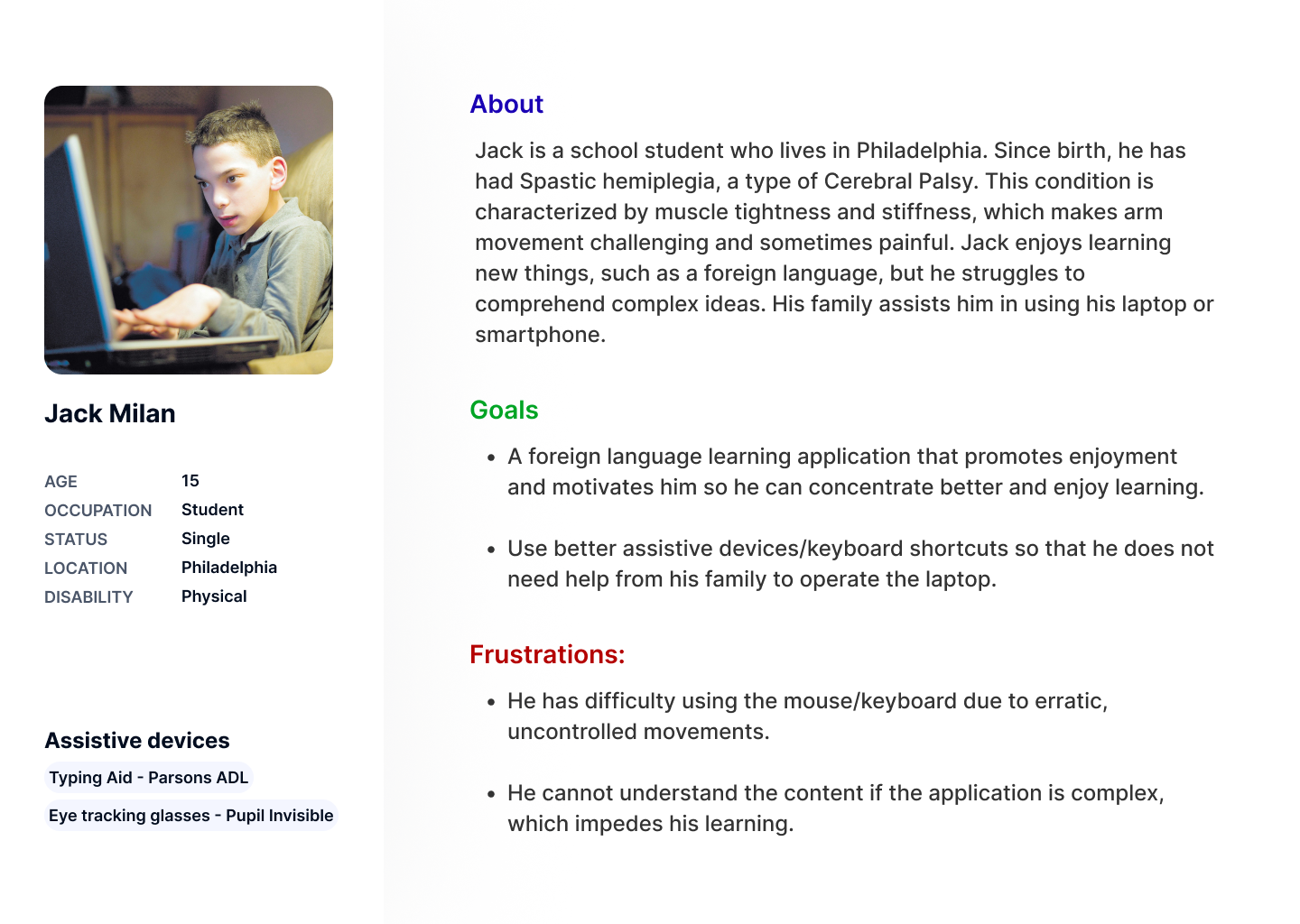
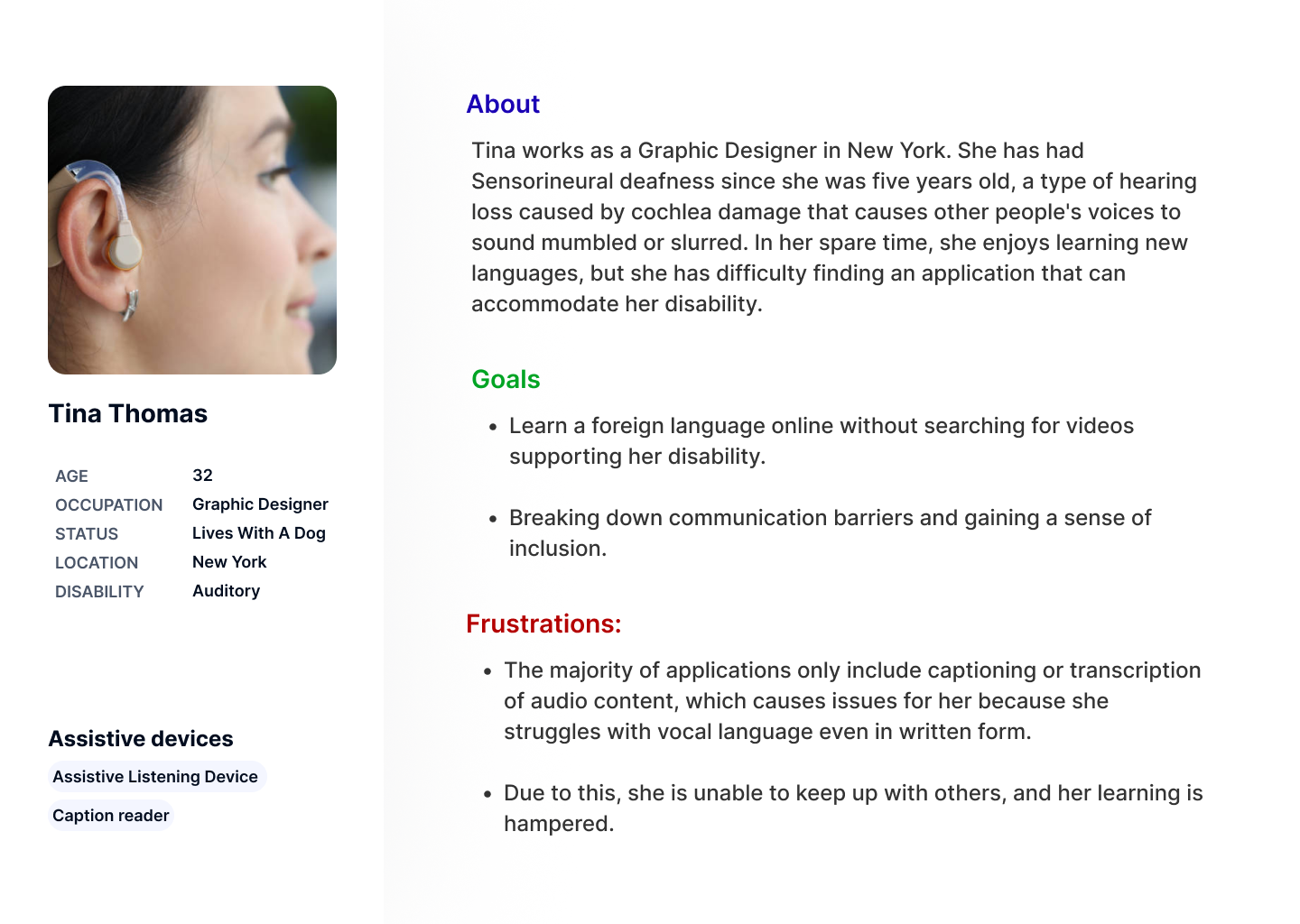
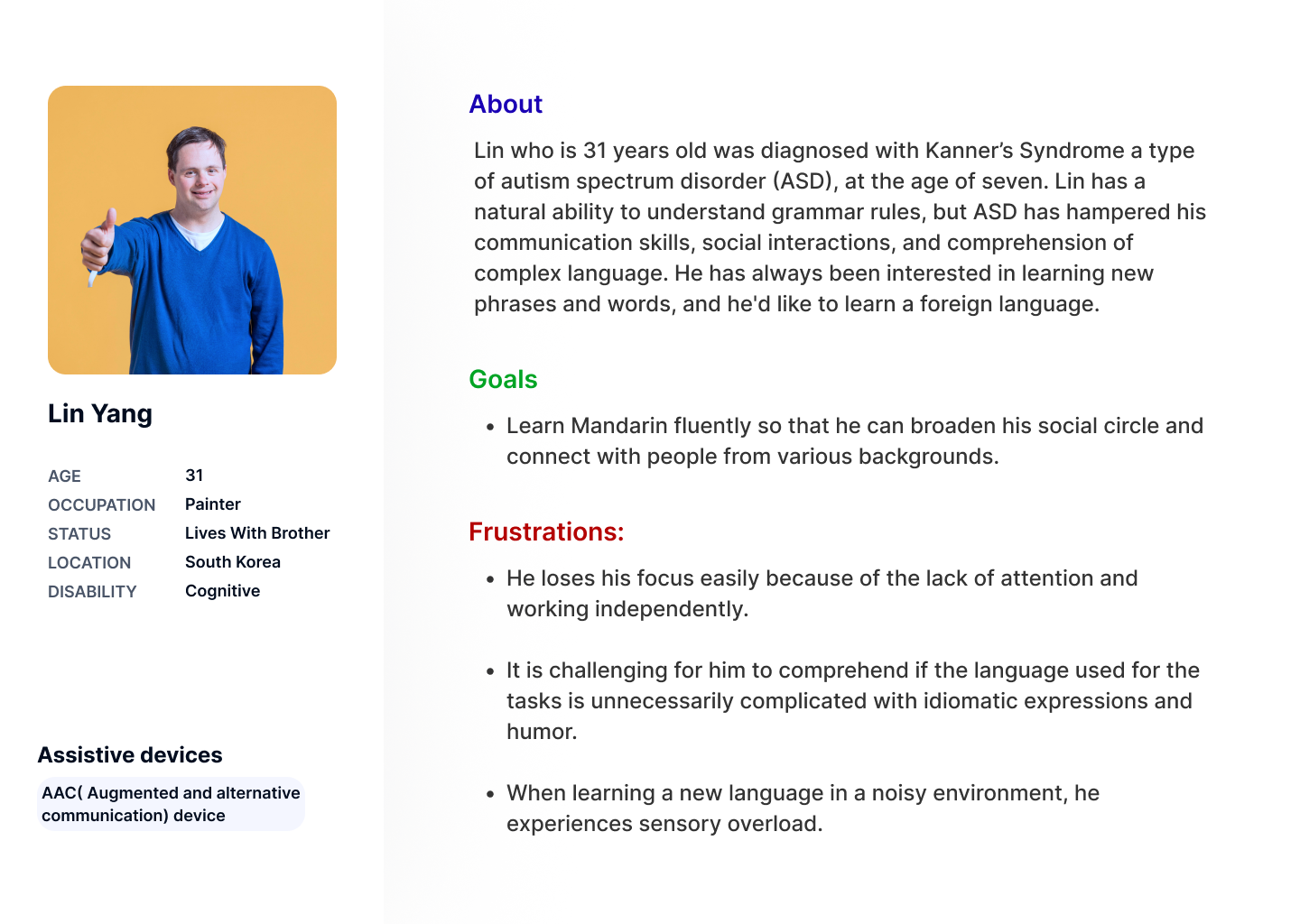
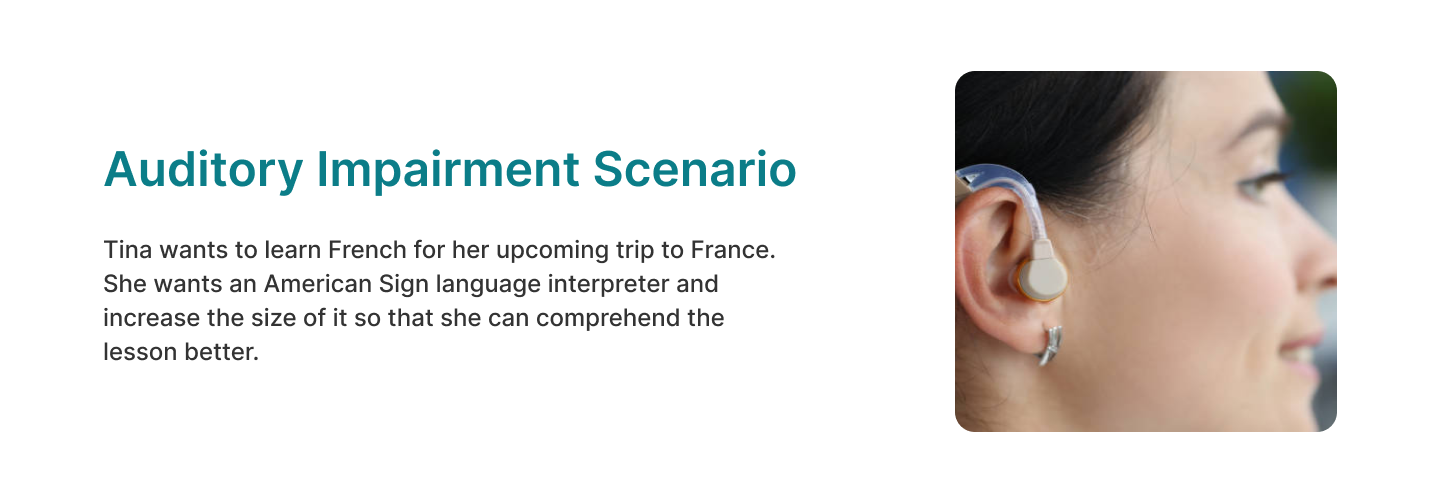
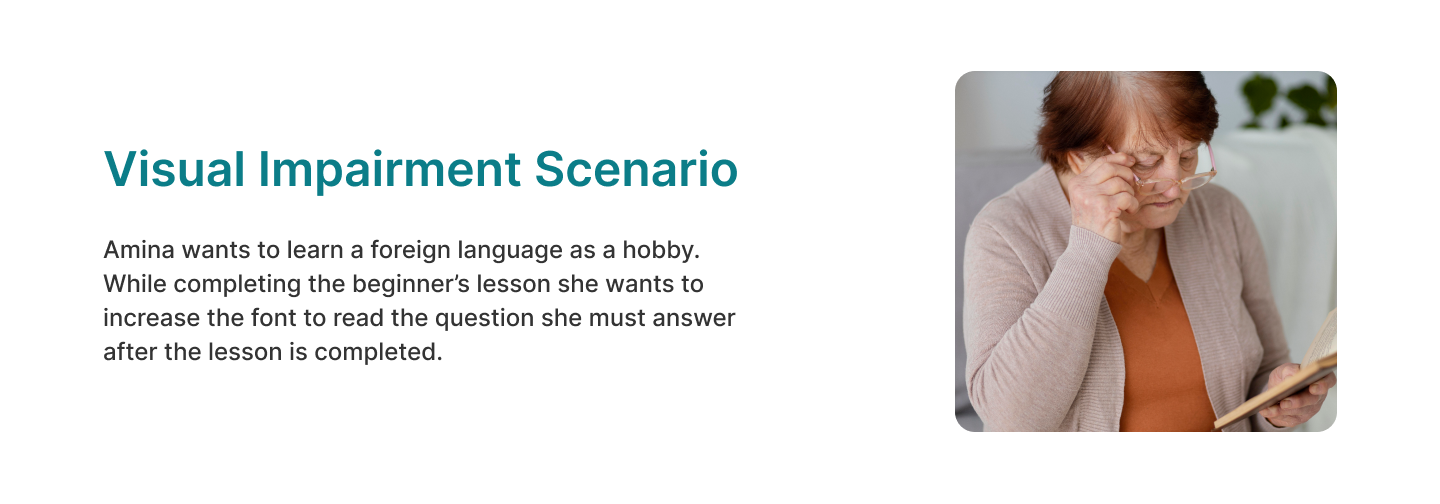
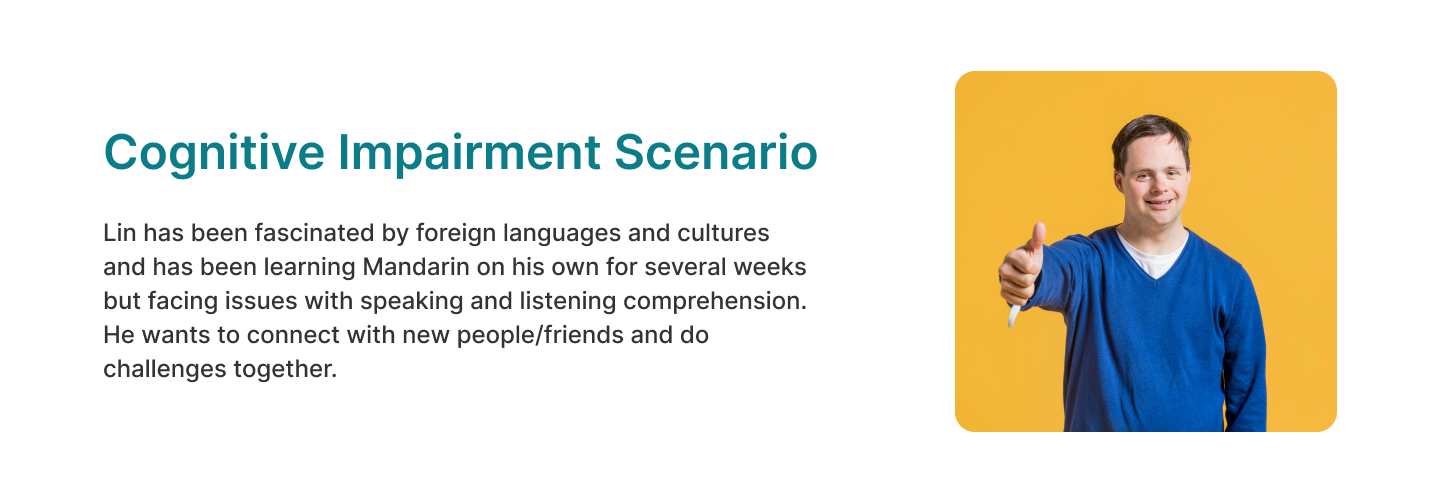
Developed four user personas with diverse impairments to drive the user-centered design process.
User Scenario
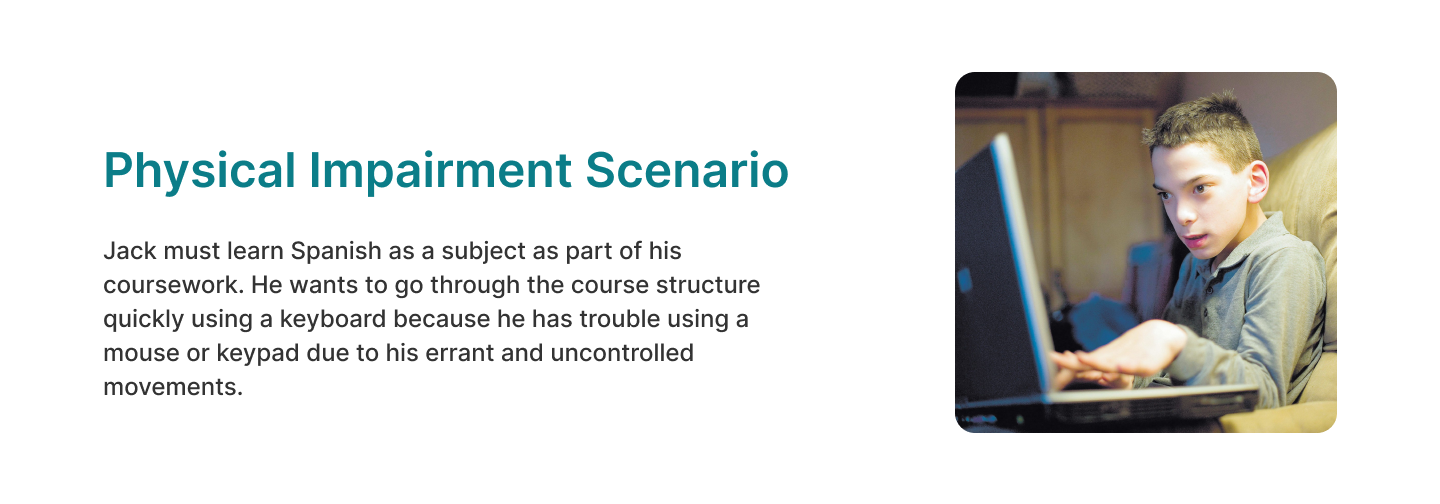
Crafted four diverse scenarios that encompass the unique situations and needs of users with impairments.
3. Design
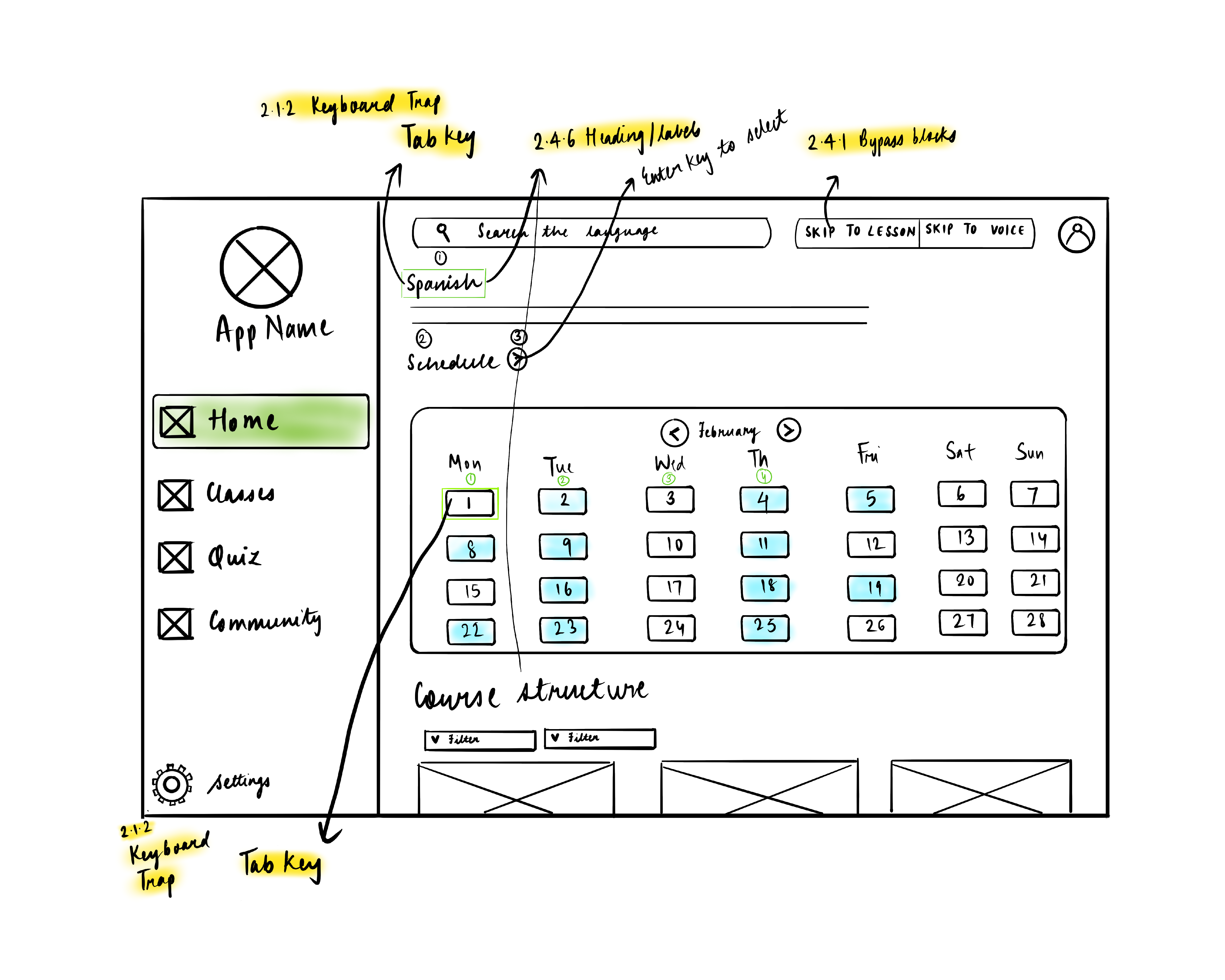
Design Ideation
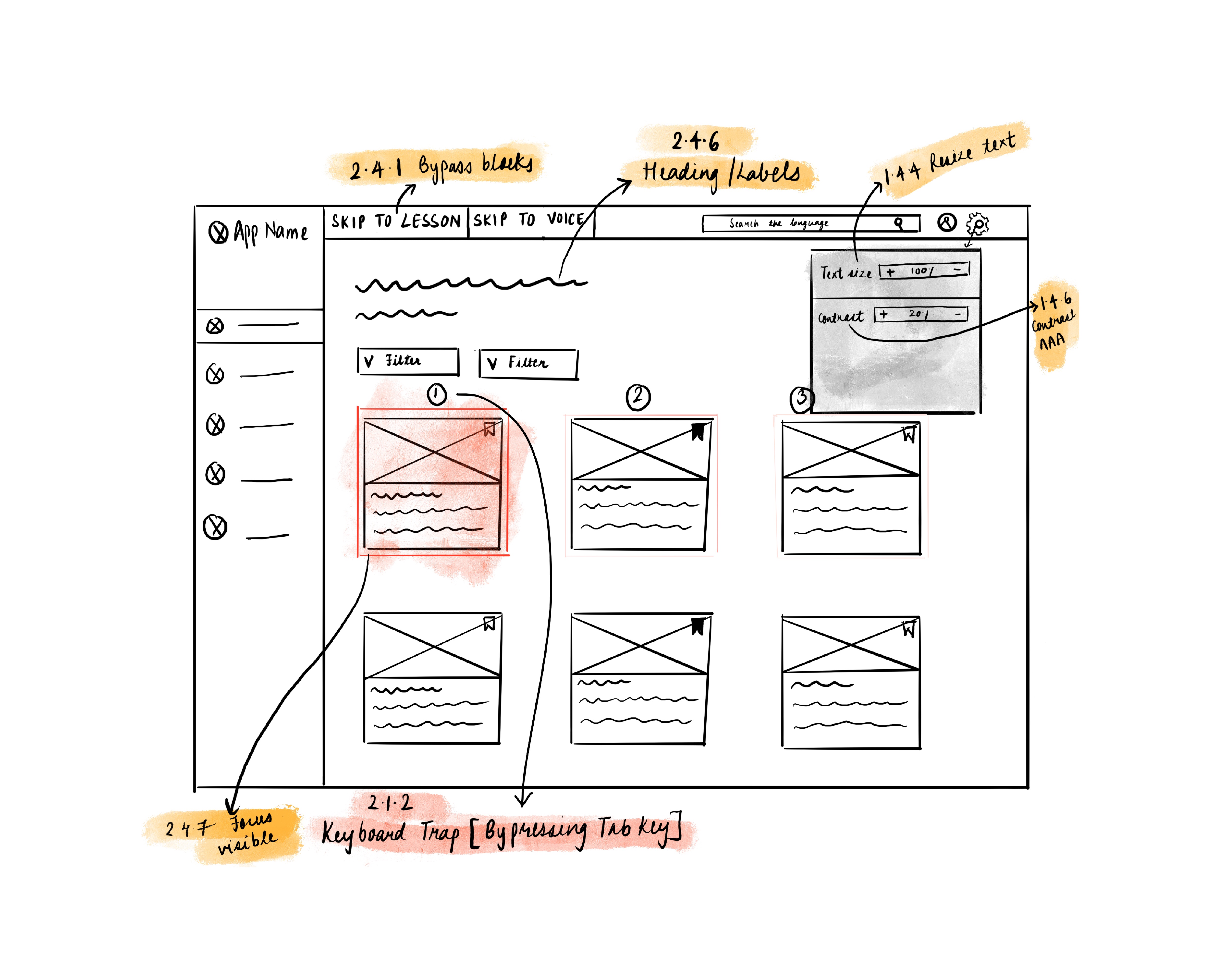
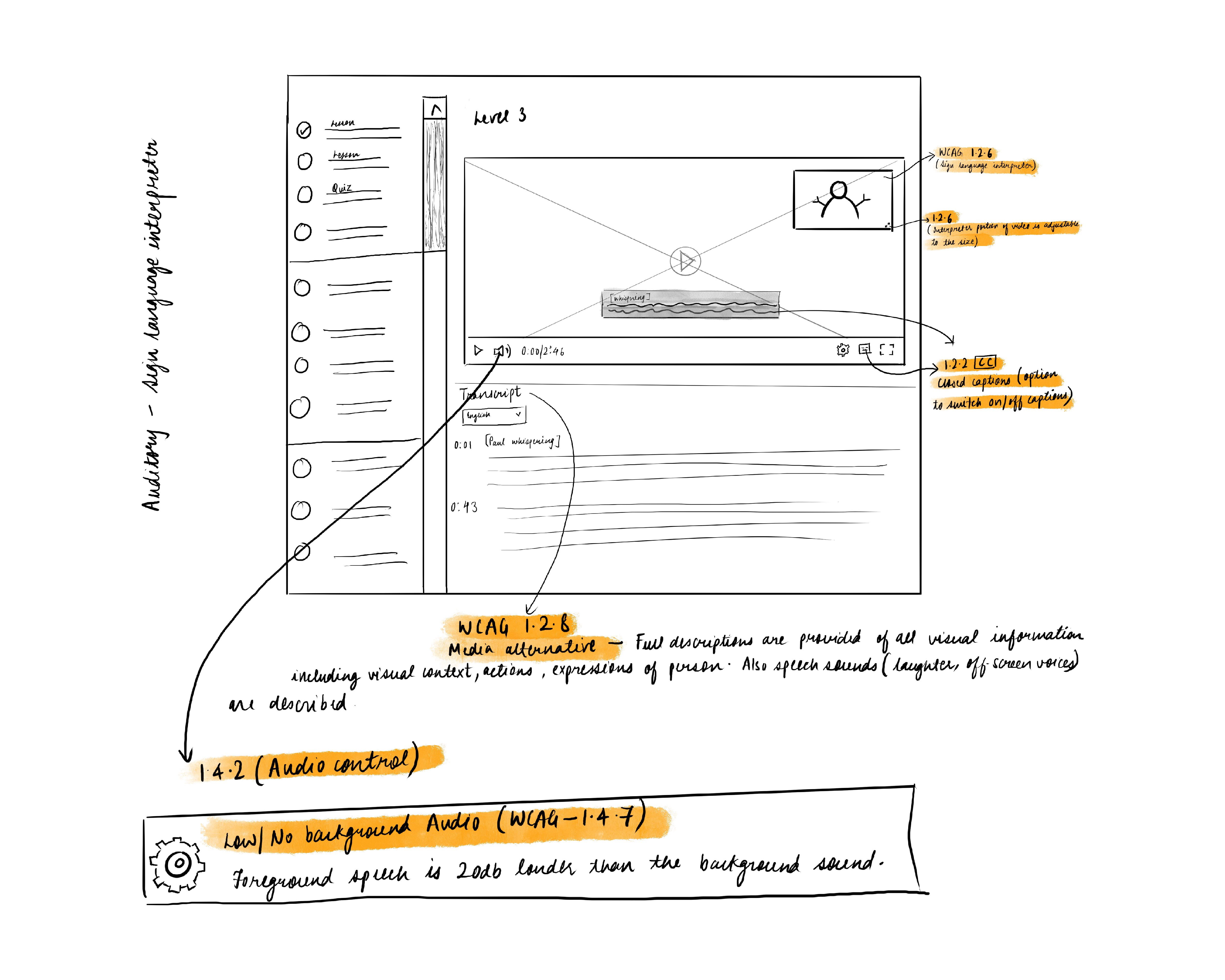
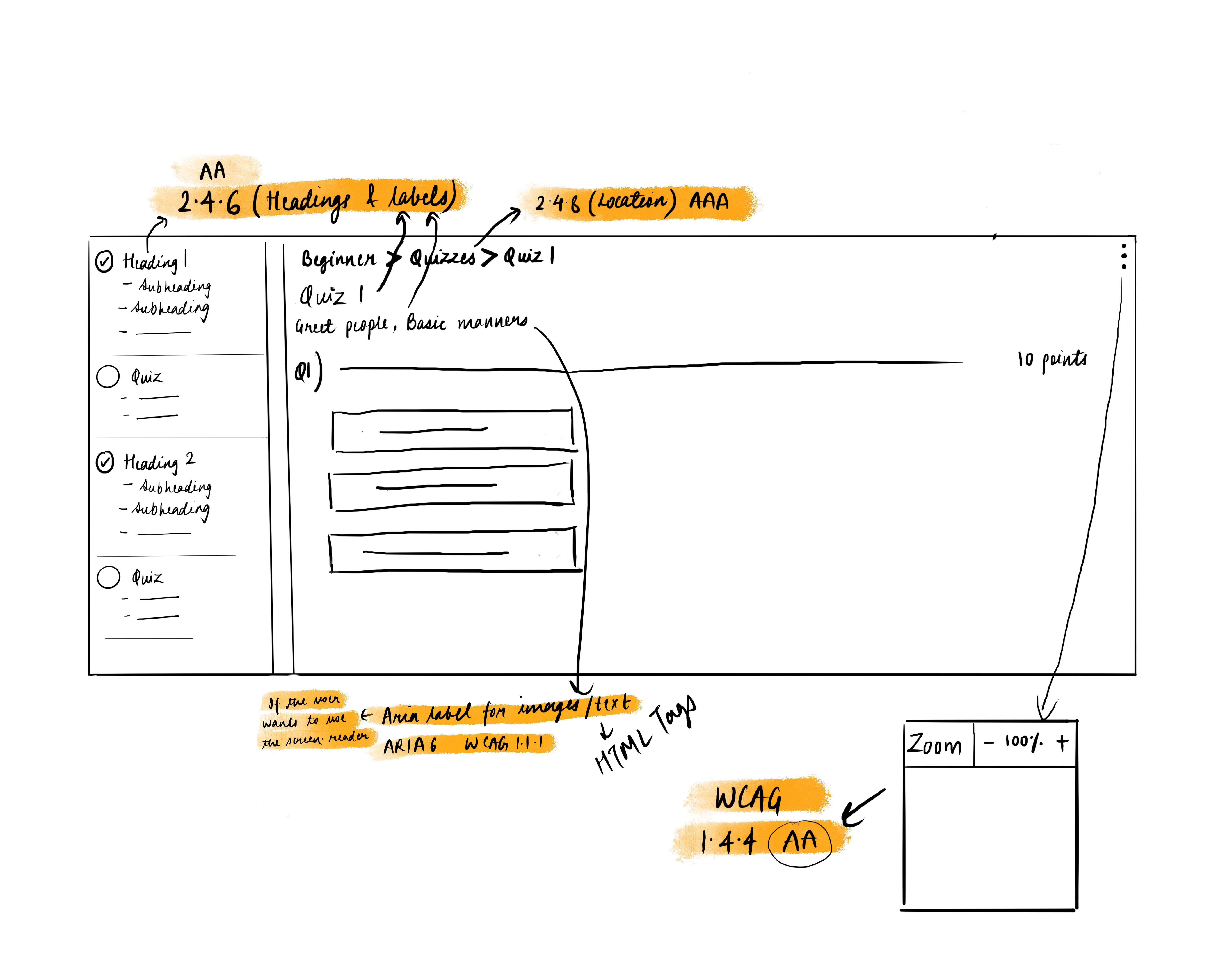
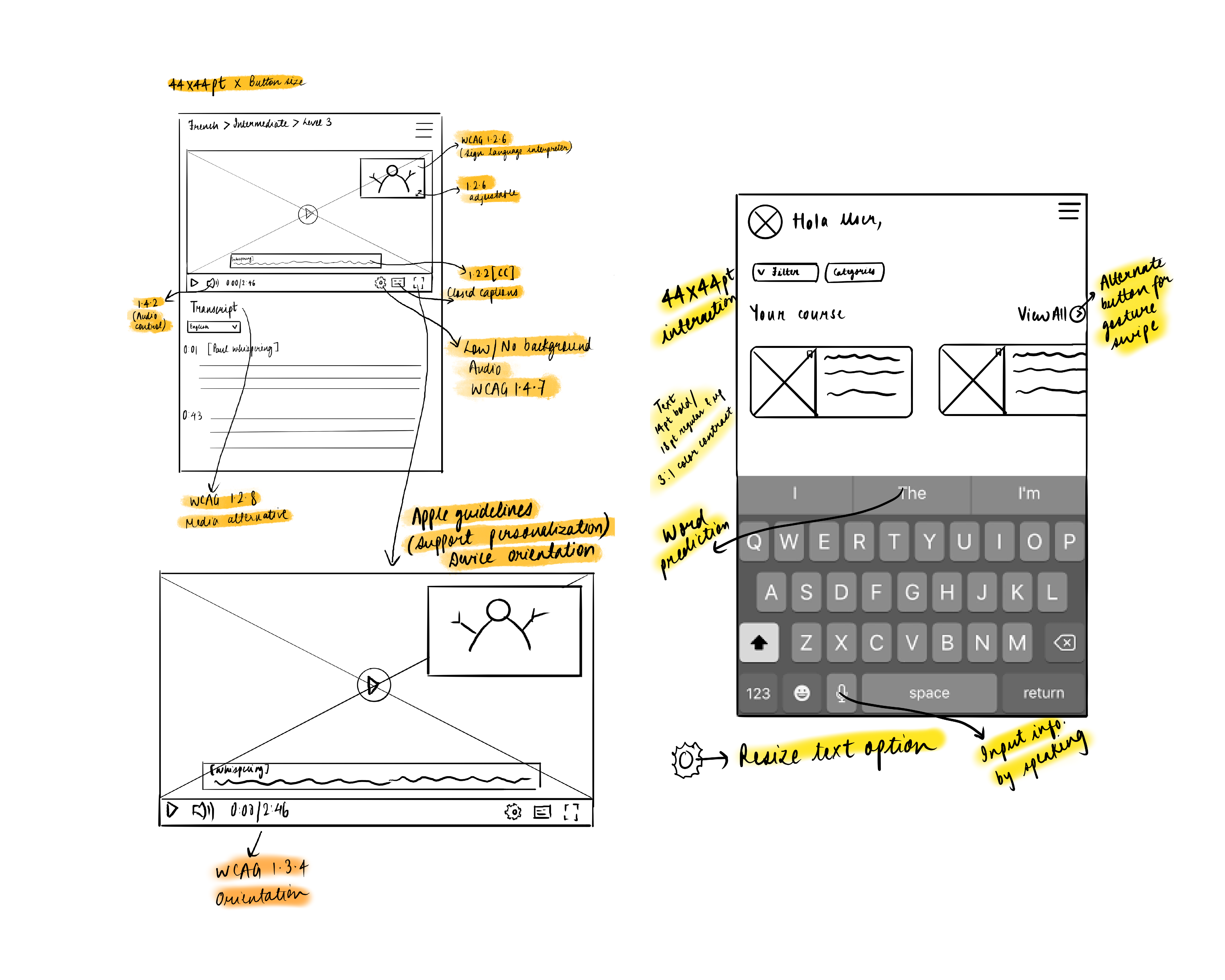
The emphasis was on introducing the application's layout and integrating key features. The design incorporates accessibility guidelines and includes annotations for WCAG and ARIA.
High Fidelity Prototype
Transformed sketches into high-fidelity prototypes, ensuring adherence to WCAG (Web Content Accessibility Guidelines) to prioritize inclusive design and accessibility considerations. The application has a clean, minimalist design with white as the background, dark grey text, as well as shades of blue for buttons and the side navigation bar. Blue has a soothing and calming effect, creates a high contrast, and is easier to distinguish if a user is colourblind (Dalke et al., 2006). The text is in the Sans Serif font 'Inter,' and studies show that Sans Serif fonts are highly readable (Hojjati and Muniandy, 2014).

4. Deliver
Usability Testing
Participants: Six participants between the ages of 21 and 35 with basic knowledge of e-learning platforms participated in the usability testing. Before beginning the test, the users were explained about the personas and scenarios.

Methodology: The testing was carried out in person, with users testing the high-fidelity prototype on the laptop. The usability test was conducted using the Cognitive Walkthrough method followed by a post-test questionnaire. The think-aloud protocol and a task-based approach were used. Participants were assigned a series of tasks, including navigating the app, completing a lesson, and taking the quiz.


Results
The average SUS score was 89 among 6 participants. Several key findings were also revealed as a result of user feedback:

Firstly, participants found the application's layout and design to be intuitive and easy to navigate. They did, however, suggest that the app could benefit from more interactive features, such as a chat option on the community page, to increase the user’s engagement.

Second, participants said the app's content was relevant and helpful for people with disabilities to feel included and learn at their own pace. However, a few participants also mentioned that showing a marking scheme of 70% or higher in the quiz section could cause anxiety and pressure among users.


Updated Designs
Based on user feedback,  specific design changes were made to enhance user understanding.
Challenges
Due to ethical concerns, I was unable to conduct user testing with individuals who have impairments. However, in the future the application could be tested with users who have impairments.

Thank You!